Task allocation diagram
To define the scope of an audit or an audit step, you can use the Task allocation diagram. Depending on the selected scope, associated elements such as control tests, risk assessments (filtered according to the defined control period) are displayed for the assigned audit/audit step in ARIS Risk and Compliance.
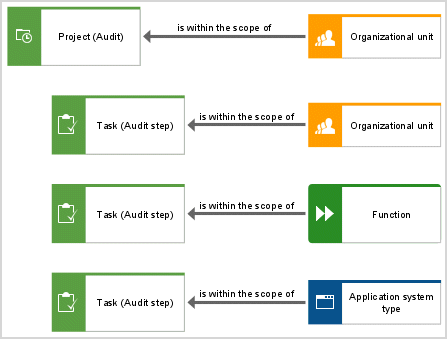
Objects and names (scope) that can be used in a Task allocation diagram
Object type name | ARCM name |
|---|---|
Task | Audit/Audit step |
Risk category | Risk category |
Application system type | Application system types |
Function | Process |
Organizational unit | Organization |
Technical term | Standards |
Connections
Object | Connection | Object |
Risk category | is within the scope of | Task |
Application system type | is within the scope of | Task |
Function | is within the scope of | Task |
Organizational unit | is within the scope of | Task |
Technical term | is within the scope of | Task |
No more than one connection of the is within the scope of type is allowed per audit/audit step.